To get the best logging results during development, enable debug logging for your broker instances in Runtime Manager.
Set these categories to DEBUG:
For LLM Reasoning:
INSECURE-LOGGINGIn Runtime Manager, select your broker application and set this category to DEBUG.
Note: By default, broker logs include actions but exclude reasoning data due to potential PII concerns.
Agent Network Studio is a suite of tools for MuleSoft agent networks — observe live broker activity, compose new networks, compare Exchange releases, and test Flex Gateway LLM Proxy routing.
Tracer provides observability for agent broker networks, helping you visualize, trace, and debug A2A task execution and agent interactions in real time.
Builder is a visual composer for agent networks. Design broker graphs on the canvas, wire Exchange and registry assets, and export AgentScript project files locally.
Compare published agent network releases on Exchange — inspect version diffs, topology changes, and asset files between releases.
A Flex Gateway LLM Proxy test harness. Browse deployed proxies, visualize policy routing, and send chat requests to validate model routing before production.
Tracer, Exchange Versions, and LLM Proxy are read-only — they view and analyze data in your Anypoint Platform account without modifying resources. Builder and Build & Publish work on local project files; they do not publish to Exchange unless you deploy separately.
When you authorize this application, you will see a dialog similar to the one shown below. All requested permissions are read-only and used solely for viewing and analyzing your agent network data.
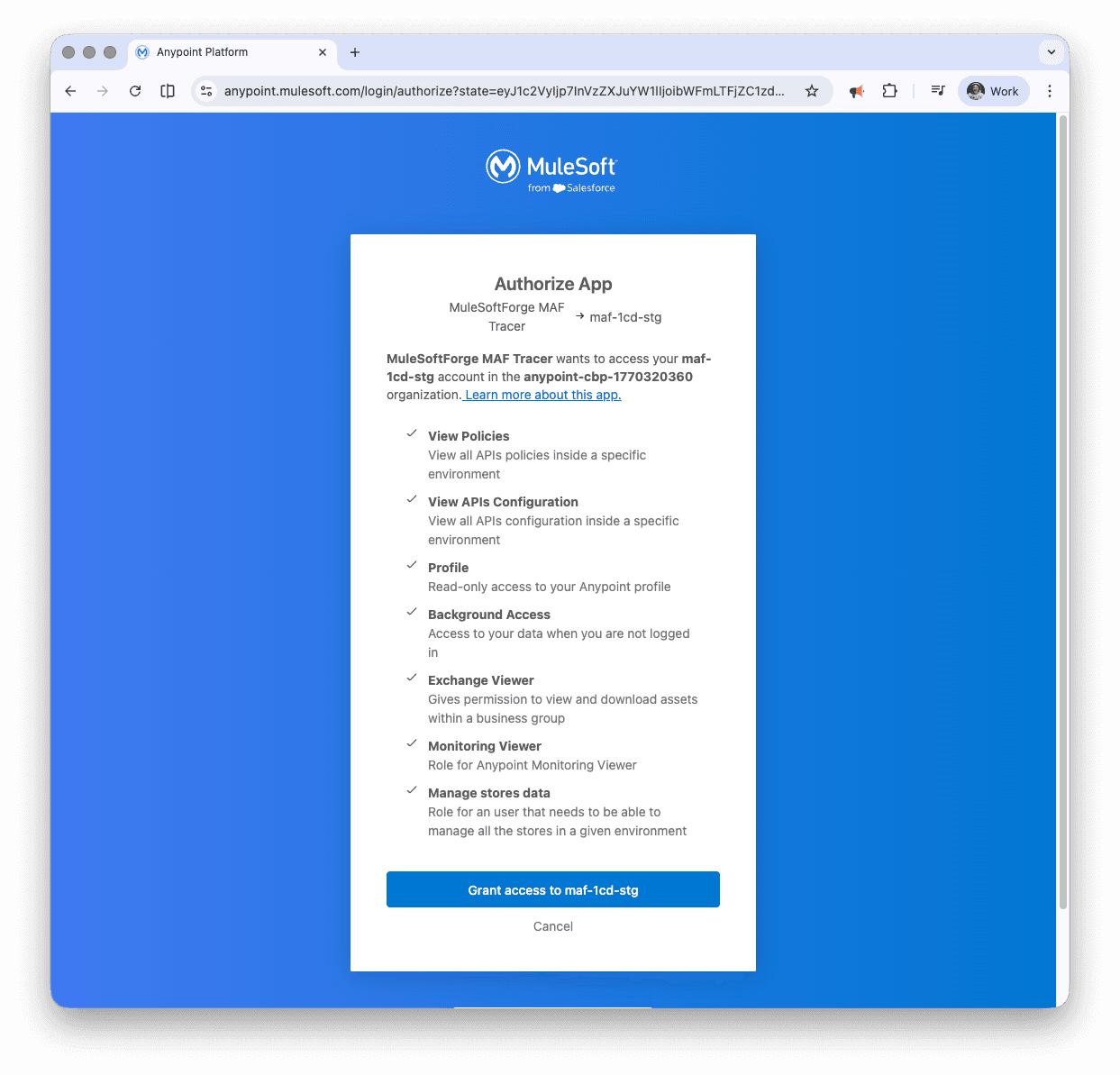
The permissions requested include:
This application uses Anypoint Platform's Connected Apps feature to securely access your data with read-only permissions. Connected Apps allow you to delegate API access to third-party applications using your Anypoint Platform credentials.
For more information about Connected Apps and how to manage them, see the Connected Apps for End Users documentation.
You can manage authorized applications in your profile settings by clicking your profile icon and selecting Profile. From there, you can view which applications have access to your data and revoke access at any time.
This application follows security best practices: